I have looked around the net for some plugins that could give me the edge on creating a trailer such as fog, clouds, flares or even explosion effects.
While I have experience in making trailers due to me creating trailers and intros for my youtube channel
My Youtube Channel :
I am confident that I will create some good results and a great final outcome.
During my creation of a game trailer I was influenced by other trailers like Aliens, Call of Duty, Battle Field and even Ghost Recon.
Here are some reference trailers I used as references and influences for my trailer.
Influential Trailers:
Aliens Vs Predator
Call Of Duty Zombies Mob Of The Dead
Ghost Recon
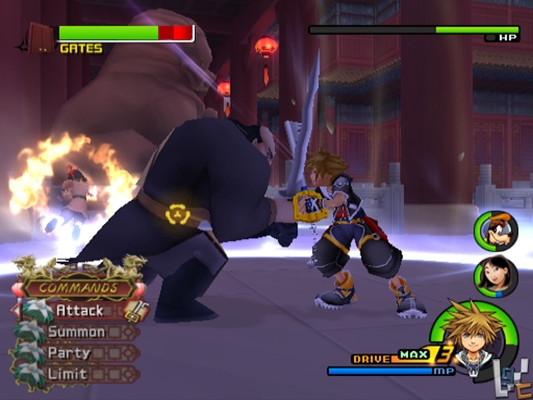
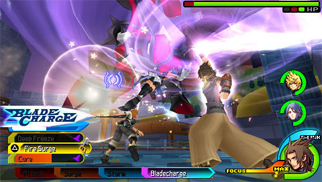
Final Fantasy
My Final Trailer
Below is my trailer created in Adobe After Effects using CC Particle, Optical Flares by video co piolet, gradients and using opacity transition changes. Below I will explain in detail how I created my trailer.
For creating my trailer I used a plug in called CC Particle. I set the lifespan to 100 (This means there will be 100 particles on screen in the life of the videos length) I then set the colour to blue with the tints of green, a darker blue and even white. I set the colour to randomise 30% meaning the colours selected will have tiny pigments and blend 30% to the video. The particles were originally dots but I feathered the particles to create a cloud like effect.
For the title I imported my logo from Photoshop which I created earlier and changed the opacity to 0% at keyframe 1 ( This will make the title now invisible) After a few seconds into the video I clicked on the title layer "Nephelis" and clicked on the stop watch on position, scale and also opacity. I then skipped a few keyframes forward (3 seconds) and changed the opacity to 100% and scaled the text. This will then give an animation if i was to play the video at this point of the text coming towards the screen fading in and fading out.
For the flare passing past the screen I made a new adjustment layer and added a new plugin called Optical Flares by video co piolet. This is a plugin which allows you to create your own presets, flares, explosions and any other flash that a lens may cast. I then scaled the position and brightness to where I wanted the flare to appear and also clicked on the stop watch to my liking on when I wanted the flare to be bright, and when i wanted to to disappear. I did this by clicking opacity and key framing it as before on the logo and also by adjusting the brightness keyframing.
after following these steps I had to render my video in after Effects by making two copes of the video, one as a MP4 and one as MOV file.
To make rendering faster I pressed the caps lock (This will prevent RAM preview when rendering, and will make video rendering ALOT faster).
Finally I uploaded my video to YouTube for others to view in 720p HD as blogger does not upload in HD and compresses videos to only 360p quality.